AI vs Traditional Coloring Book Creation: Quality, Cost, Time (Pros & Cons)
AI vs Traditional Coloring Book Creation: Quality, Cost, Time (Pros & Cons)
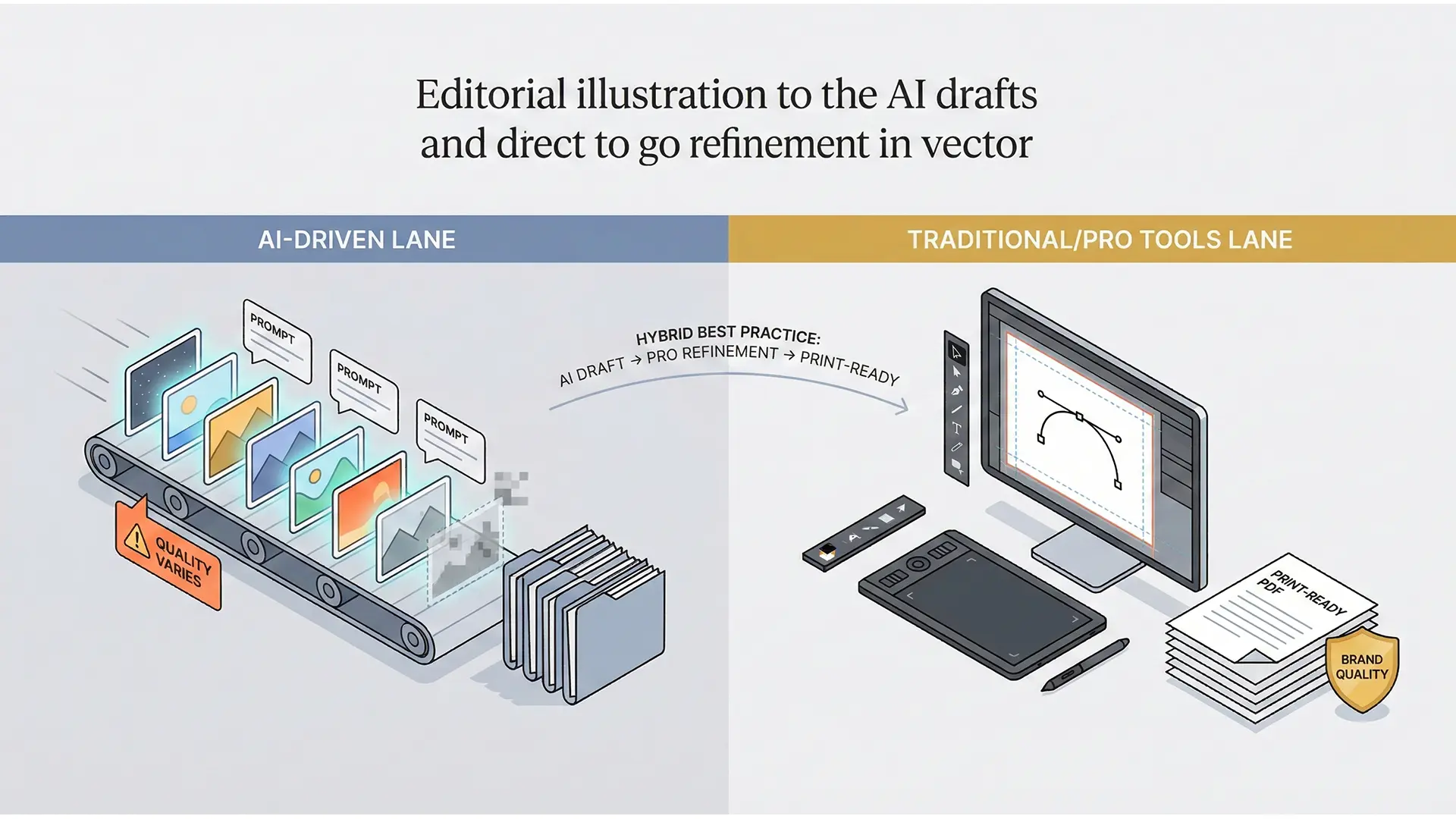
AI vs Traditional coloring book creation hero comparison
For KDP publishers, the choice between AI-driven and Traditional (Hand-drawn) workflows defines your business model. This guide breaks down the trade-offs: speed vs. quality, cost vs. control, and how to combine both for a winning hybrid strategy.
1.0 The Two Paths: Define Your Strategy
Your creation methodology dictates your time-to-market and brand perception.
1.1 The Traditional Path (Quality-First)
- Methods: Hand-drawn illustrations or modifying licensed assets (Canva/Creative Fabrica).
- Tools: Professional software like Affinity Publisher or Adobe InDesign.
- Goal: Maximum artistic control and defensible copyright.
1.2 The AI-Driven Path (Speed-First)
- Methods: Generative AI tools (e.g.,
createcoloringbooks.ai) creating images from prompts. - Tools: Automated platforms with drag-and-drop layouts.
- Goal: Rapid scaling and high-volume catalog building.
2.0 Head-to-Head Comparison
| Feature | Traditional (Non-AI) | AI-Driven |
|---|---|---|
| Speed | Slow: Manual drawing/design takes time. | Fast: Generate 50+ images in minutes. |
| Cost | High: Hiring illustrators or buying assets. | Low: Monthly software subscription. |
| Quality | High: Consistent characters and style. | Variable: Risk of “AI Slop” (weird hands/lines). |
| Learning Curve | Steep: Must learn vector/layout tools. | Easy: Intuitive interfaces. |
| Copyright | Strong: Defensible IP ownership. | Weak: AI art may not be copyrightable. |
3.0 The Hybrid Solution: Scale Without “Slop”
The smartest publishers don’t choose one; they use both.
3.1 The “Sandwich” Workflow
- AI for Drafting: Use AI to generate base images and compositions quickly.
- Traditional for Refining: Import AI assets into Affinity Publisher or Photoshop to fix linework, remove artifacts, and ensure 300 DPI resolution.
- Result: The speed of AI with the polish of human curation.
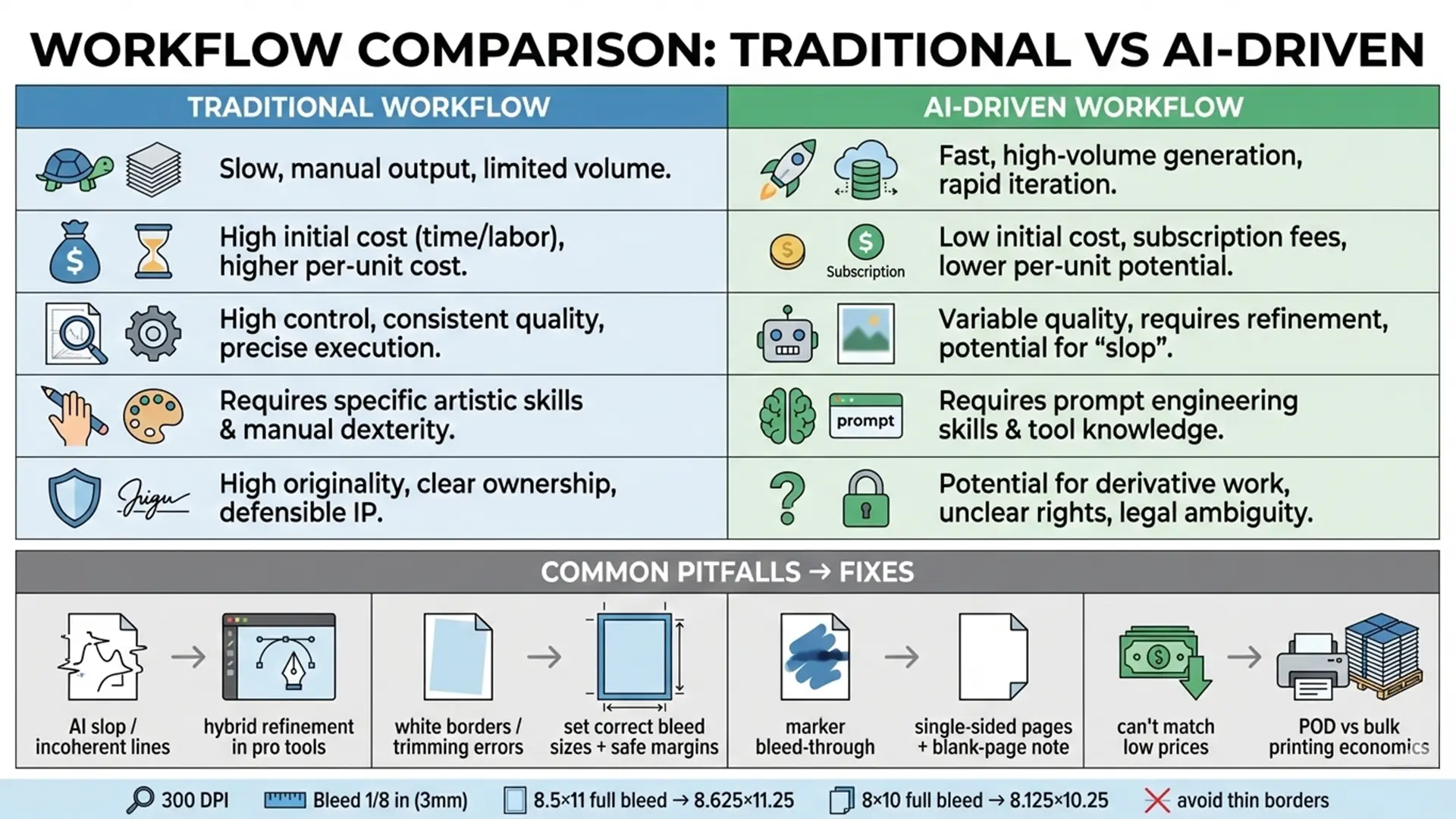
AI and traditional hybrid workflow diagram
4.0 Technical Reality Check (Regardless of Method)
Whether you draw by hand or prompt an AI, KDP has strict technical rules.
- Bleed: You must extend artwork 0.125” beyond the trim line.
- 8.5” x 11” File Size: 8.625” x 11.25”.
- Resolution: All final exports must be 300 DPI.
- Paper Quality: Use single-sided pages with a “blank page” note to prevent marker bleed-through, regardless of how the art was made.
5.0 Conclusion: Which Path is Yours?
- Choose Traditional If: You want to build a premium brand with defensible IP and have the budget/skills for professional tools.
- Choose AI If: You want to test niches fast and scale a large catalog with minimal upfront cost.
- Choose Hybrid If: You want the best of both worlds—speed to market with the quality control that prevents negative reviews.
Quick Checklist (Strategy Selection)
- Goal: High Volume (AI) vs Premium Brand (Traditional)?
- Skill: Willing to learn Affinity/InDesign? (Traditional/Hybrid).
- Risk: Comfortable with AI copyright ambiguity? (AI).
- Tech Specs: Can you format bleed (0.125”) regardless of tool?.