CBE vs Procreate for Publishing: Time, Steps & Output Quality
CBE vs Procreate for Publishing: Time, Steps & Output Quality
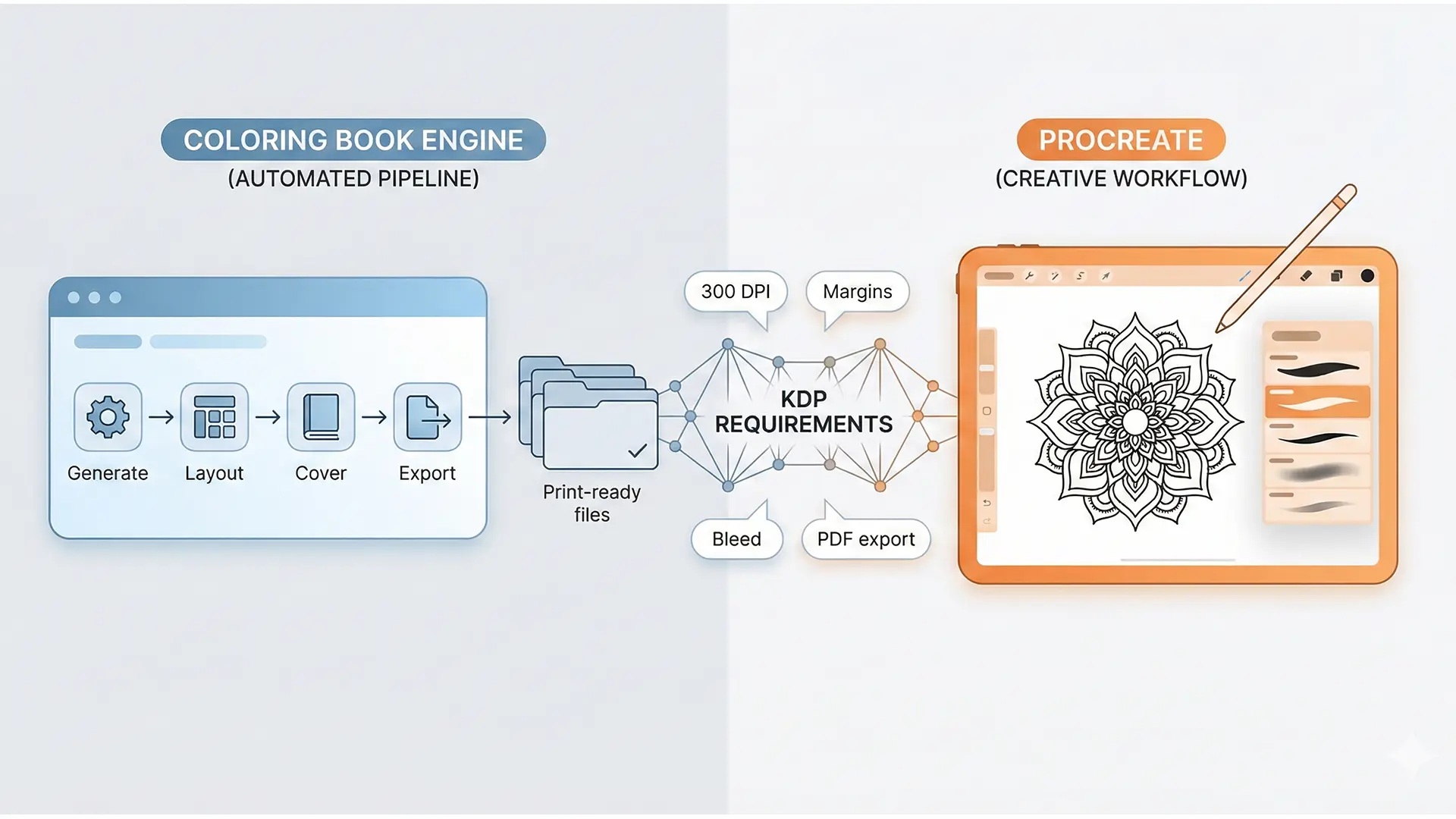
CBE vs Procreate workflow comparison hero
Procreate is the gold standard for drawing, but KDP publishing is about manufacturing. This guide compares two fundamentally different workflows: the all-in-one automation of Coloring Book Engine (CBE) versus the specialized artistic control of Procreate.
1.0 The KDP Publishing Pipeline
Before choosing a tool, you must understand that “drawing a picture” is only 20% of the job. A KDP book requires a rigorous 5-step manufacturing pipeline:
- Asset Creation: Drawing or generating the line art.
- Interior Assembly: Compiling images into a single multi-page document.
- Bleed & Formatting: Extending artwork 0.125” beyond the trim line and ensuring 300 DPI resolution.
- Cover Design: Creating a full-wrap print file (front, spine, back).
- Export: Generating a final PDF for upload.
2.0 Coloring Book Engine (CBE): The Integrated Pipeline
CBE (createcoloringbooks.ai) is built for speed and volume. It abstracts away technical complexities by handling the entire pipeline in one browser window.
Key Features
- AI Generation: Creates assets directly within the tool, skipping the need for external drawing apps.
- Drag-and-Drop Layout: Allows users to visualize and arrange the final book structure instantly.
- Automated Formatting: Exports files “already formatted for uploading as is,” automatically handling dimensions, margins, and bleed.
- Note: CBE often exports interiors as
.docx, which relies on Amazon’s conversion process, unlike the industry-standard PDF.
- Note: CBE often exports interiors as
Best For: Creators focused on efficiency and minimizing the learning curve.
3.0 Procreate: The Specialized Artist’s Tool
Procreate is a professional-grade raster graphics editor. It excels at Step 1 (Creation) but provides zero support for Steps 2–5.
The “Fragmented” Workflow
Because Procreate lacks native layout or cover design tools, using it requires a multi-software workflow: 1. Draw: Create art in Procreate. 2. Export: Save individual images. 3. Assemble: Import images into Affinity Publisher or Adobe InDesign to handle layout, bleed, and cover design.
Best For: Artists who prioritize unique, hand-drawn quality and are willing to learn complex desktop publishing software.
4.0 Head-to-Head: Pipeline Efficiency
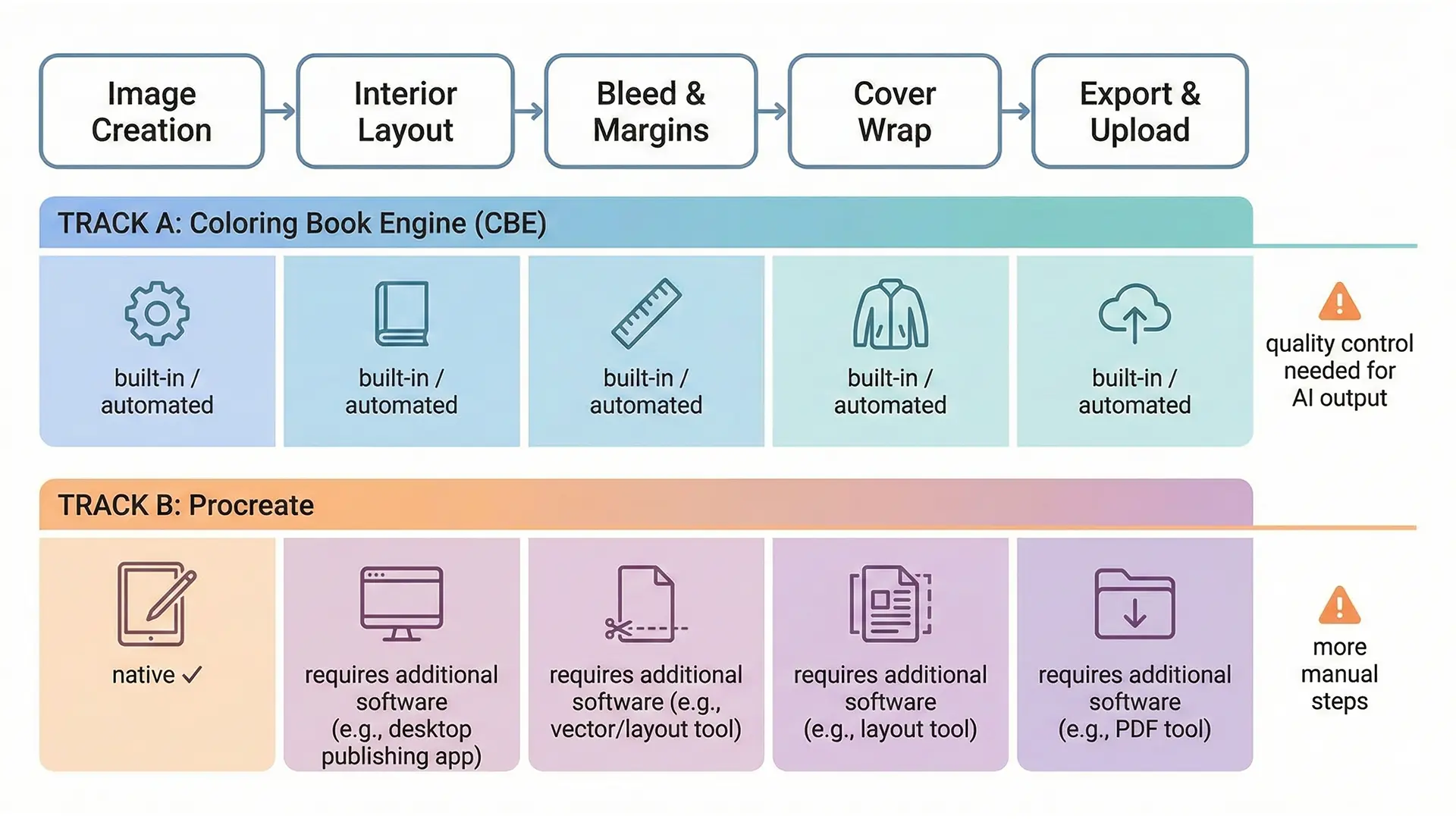
Workflow comparison diagram: CBE automation vs Procreate manual assembly
| Pipeline Stage | Coloring Book Engine (CBE) | Procreate |
|---|---|---|
| Image Creation | Integrated AI generation | Best-in-Class Digital Drawing |
| Interior Layout | Built-in Drag-and-Drop | Not Supported (Requires Affinity/InDesign) |
| Cover Design | Integrated Creator | Not Supported |
| KDP Bleed/Format | Automated | Manual / Technical Skill Required |
| Primary Goal | Publishing Speed | Artistic Control |
5.0 Conclusion: Which Tool Fits Your Strategy?
- Choose CBE If: You are a publisher focused on volume. You want to move from concept to market quickly without learning print specs.
- Choose Procreate If: You are an artist building a premium brand. You need total creative control and are willing to manage a complex multi-tool workflow.
Quick Checklist (Tool Selection)
- Skill Level: Can you use Affinity/InDesign? (If no, CBE is safer).
- Asset Type: Do you need AI generation (CBE) or Hand-drawn (Procreate)?
- Tech Specs: Do you know how to calculate bleed manually? (If no, CBE automates this).
- Volume: Are you making 1 book (Procreate) or 10 books (CBE)?