Custom Coloring Book Planning with OpenAI/Gemini APIs: Prompts → Page List
Custom Coloring Book Planning with OpenAI/Gemini APIs: Prompts → Page List
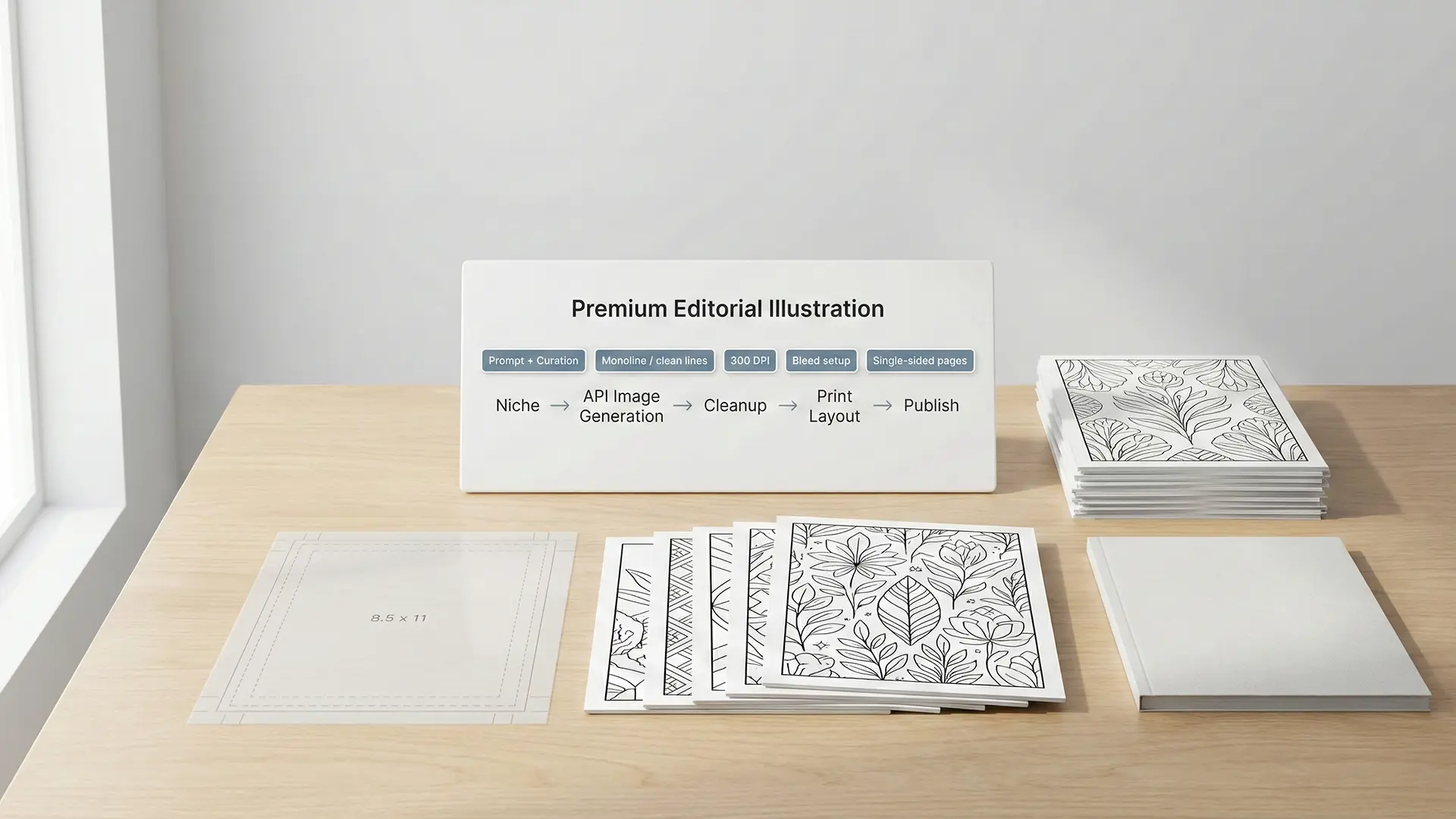
AI-powered coloring book planning pipeline hero
Traditionally, creating a coloring book meant hiring expensive illustrators or buying generic stock assets. Today, independent creators can use Generative AI APIs (OpenAI/Gemini) to build unique, high-quality books at scale. This guide covers the full pipeline: from API setup to print-ready KDP execution.
1.0 The Strategy: Why Use APIs?
Using an AI API (like DALL-E 3 or Gemini Pro Vision) directly offers two massive advantages over subscription tools: 1. Cost Efficiency: You pay per image (often cents) rather than a monthly fee, making it scalable for high-volume projects. 2. Automation: You can script the generation of 50+ pages in one go, ensuring consistent style prompts across the entire book.
1.1 The “Human-Crafted” Market Gap
The market is flooded with low-quality “AI Slop.” Your goal is to use AI to create high-value assets. * Target: Adult niches that value artistry (e.g., “Intricate Mandalas,” “Architectural Patterns”). * Avoid: The toddler market (“Race to the bottom on price”).
2.0 The Workflow: From Prompt to Page
You don’t need to be a coder. Many tools allow you to “Bring Your Own Key” (BYOK).
2.1 API Setup & Prompt Engineering
A successful coloring book prompt must be explicit:
* Style: “Black and white vector illustration,” “simple line art,” “clean outlines.”
* Negative Prompts: --no color, --no shading, --no gray, --no gradients.
* Subject: Be descriptive (e.g., “A majestic lion with an intricate mandala pattern in its mane”).
2.2 The “De-Colorization” Trick
Sometimes, asking for line art directly yields weak results. A pro workflow is to generate a full-color illustration first, then strip the color. 1. Generate: Ask for a “bold, cartoon-style” image. 2. Process: Use a tool (like Image DeColouriser or Photoshop) to convert the SVG/PNG to pure black-and-white lines. This often preserves better composition.
3.0 Technical Execution: The KDP Reality Check
Generating images is only half the battle. If you don’t format them correctly, KDP will reject your book.
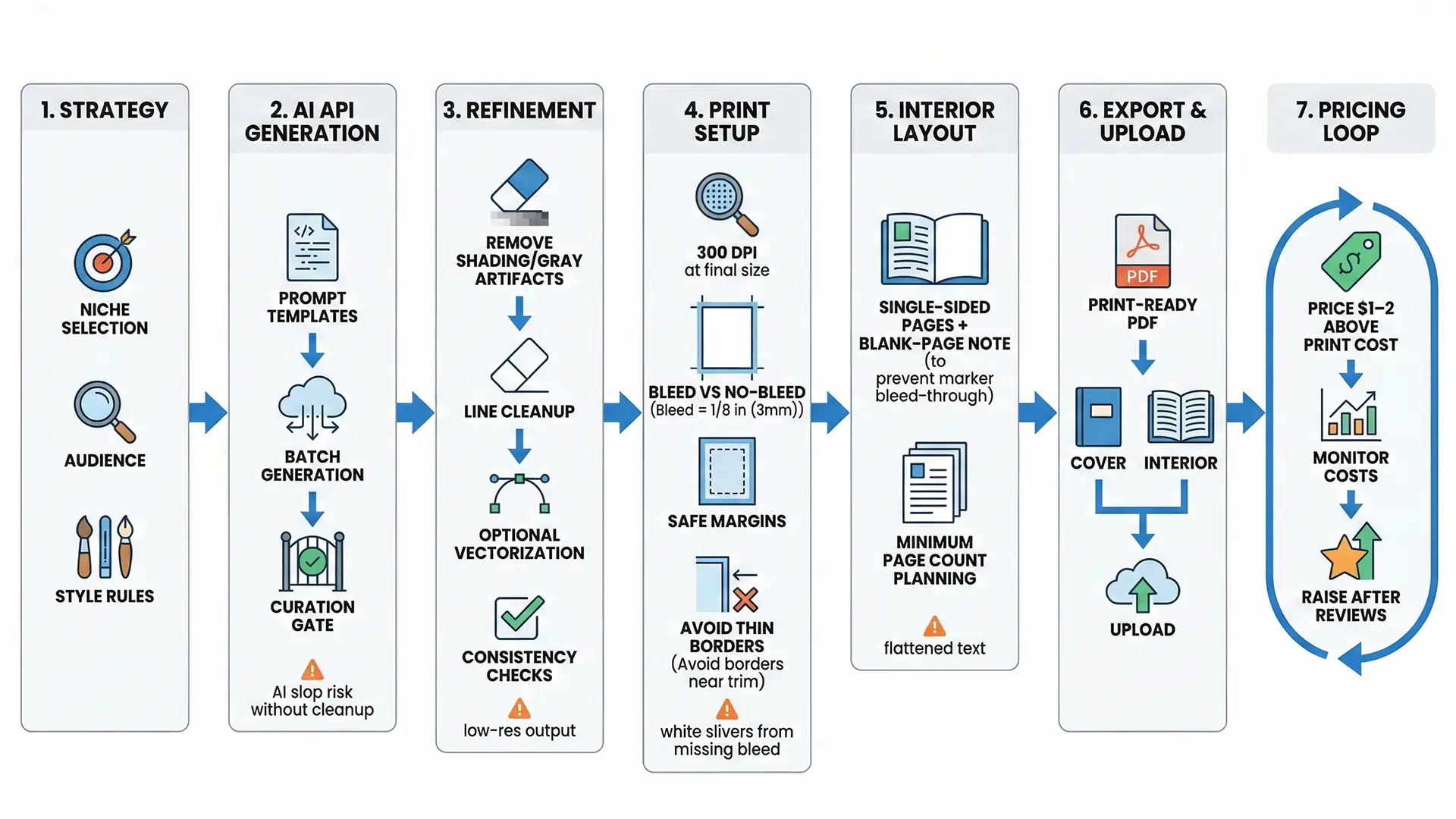
API to KDP print formatting workflow
3.1 Bleed & Dimensions
- Trim Size: The final cut size (e.g., 8.5” x 11”).
- Bleed: You MUST add 0.125” (3mm) to the top, bottom, and outside edges if images touch the edge.
- 8.5” x 11” File: 8.625” x 11.25”.
- Resolution: 300 DPI is mandatory. Higher resolutions (600 DPI) are unnecessary and can cause processing errors.
3.2 UX Best Practices
- Single-Sided Pages: Print on the right side only. Leave the back blank to prevent marker bleed-through.
- No Borders: Do not use printed frames. KDP’s trimming is inconsistent, and uneven borders look amateurish.
4.0 Economics: Pricing for Profit
KDP is a Print-on-Demand (POD) service, meaning high per-unit costs. You cannot compete with $3.99 bulk-printed books.
- Break-Even Reality: A 100-page book often costs $7.62+ just to print.
- Launch Strategy: Price $1-2 above cost to drive initial sales and reviews. Raise prices later once social proof is established.
Quick Checklist (API Publishing)
- API Key: Set up OpenAI/Gemini account and generated a key.
- Prompts: Tested negative prompts (
-no shading) for clean lines. - Canvas: Set document to 8.625” x 11.25” (for 8.5x11 bleed).
- Resolution: Upscaled all API outputs to 300 DPI.
- Layout: Set pages to single-sided to prevent bleed-through.