KDP AI Content Rights: Avoid Account Suspension (Checklist + Proof)
KDP AI Content Rights: Avoid Account Suspension (Checklist + Proof)
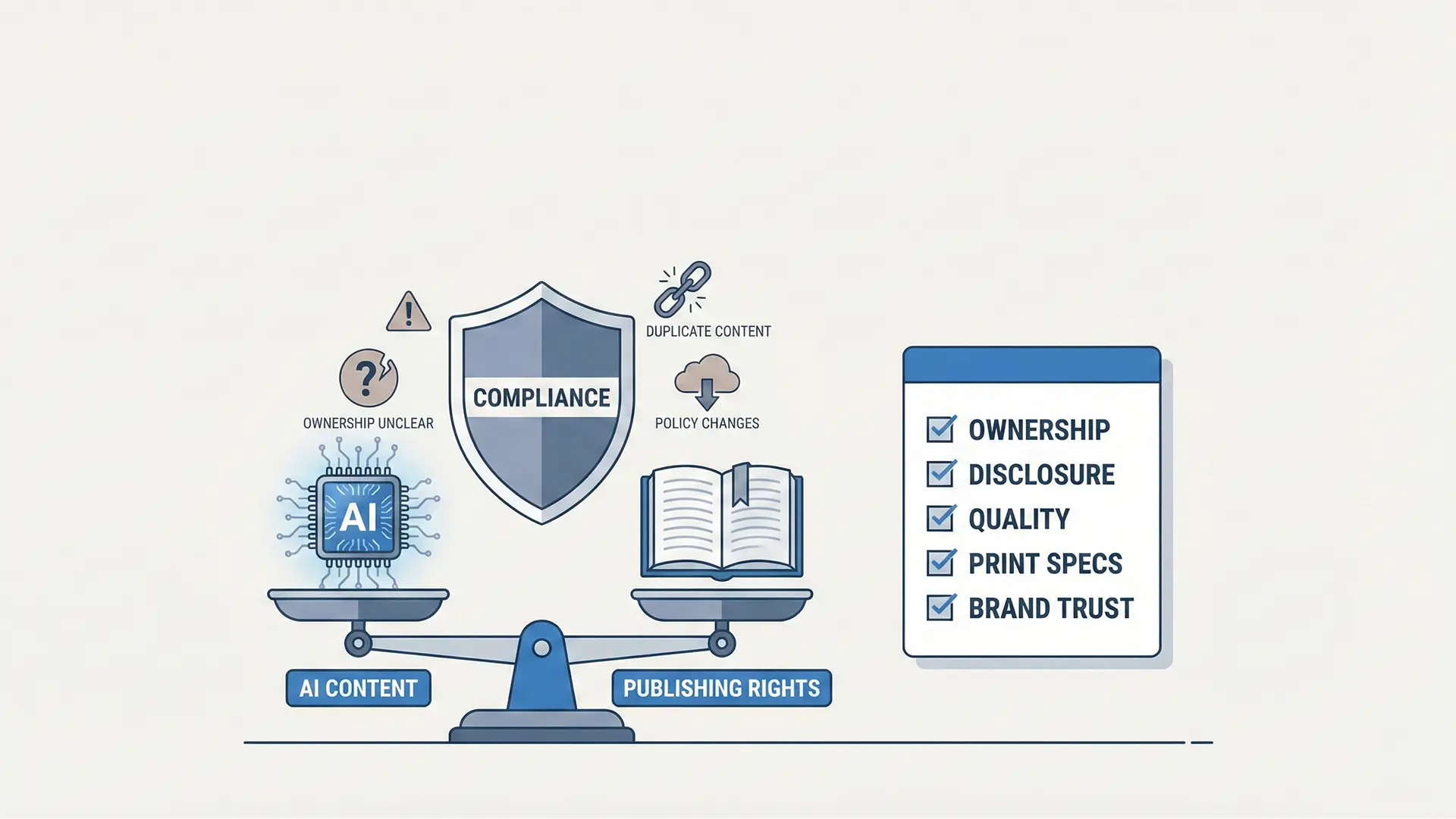
KDP AI content rights protection hero
Protect your KDP account with a rights-first workflow. This guide breaks down commercial-use rules, copyright risks, and the technical specifications required to distinguish professional work from “AI slop.”
1.0 The New Frontier: AI Risks in Print-on-Demand
The rise of AI content generation tools has unlocked unprecedented market access, but it has also introduced a landscape of “strategic ambiguity and compliance risks”. Publishers now face critical challenges regarding copyright and content ownership that threaten the long-term viability of their businesses.
1.1 The “Peculiar Business Model” of AI
A central risk for KDP publishers is investing resources into assets they cannot legally own. Experienced publishers describe building a business on AI content as a “peculiar business model” because the content “wouldn’t be copyrightable”. Without clear copyright protection, successful products can be easily copied and resold, leaving the original publisher with no legal recourse.
Furthermore, the market is becoming discerning. Consumers are increasingly dismissing low-quality AI outputs as “AI SLOP,” creating a clear preference for publishers who can claim their illustrations were done “by hand”.
2.0 Tool Selection: Balancing Efficiency and Ownership
The tools you choose determine your production speed and your ownership rights. While KDP’s Print-on-Demand (POD) model is expensive per unit, pushing publishers toward high-volume strategies, quality remains the key differentiator.
Publisher Tool Comparison
| Tool Category | Examples | Use Case & Risks |
|---|---|---|
| Professional Software | Adobe InDesign, Affinity Publisher | Offers maximum flexibility and quality, though with a steep learning curve. |
| User-Friendly Platforms | Canva | Popular for accessibility and functional free tiers. |
| Specialized KDP Tools | Book Bolt, Tangent Templates | Used for research and design, though some users note concerns over billing practices. |
| AI Generators | createcoloringbooks.ai | Positioned as a cheaper, faster alternative to human designers. |
The Canva-Affinity Precedent: In March 2024, following Canva’s acquisition of Serif (Affinity), the companies issued a pledge guaranteeing that users’ projects would not be used to train AI models. This highlights the growing importance of data privacy and content rights for creators.
3.0 Technical Compliance Checklist (The Safe Workflow)
While copyright laws evolve, platform compliance is immediate. Adhering to KDP’s technical specifications is the first step in establishing your work as professional and trustworthy.
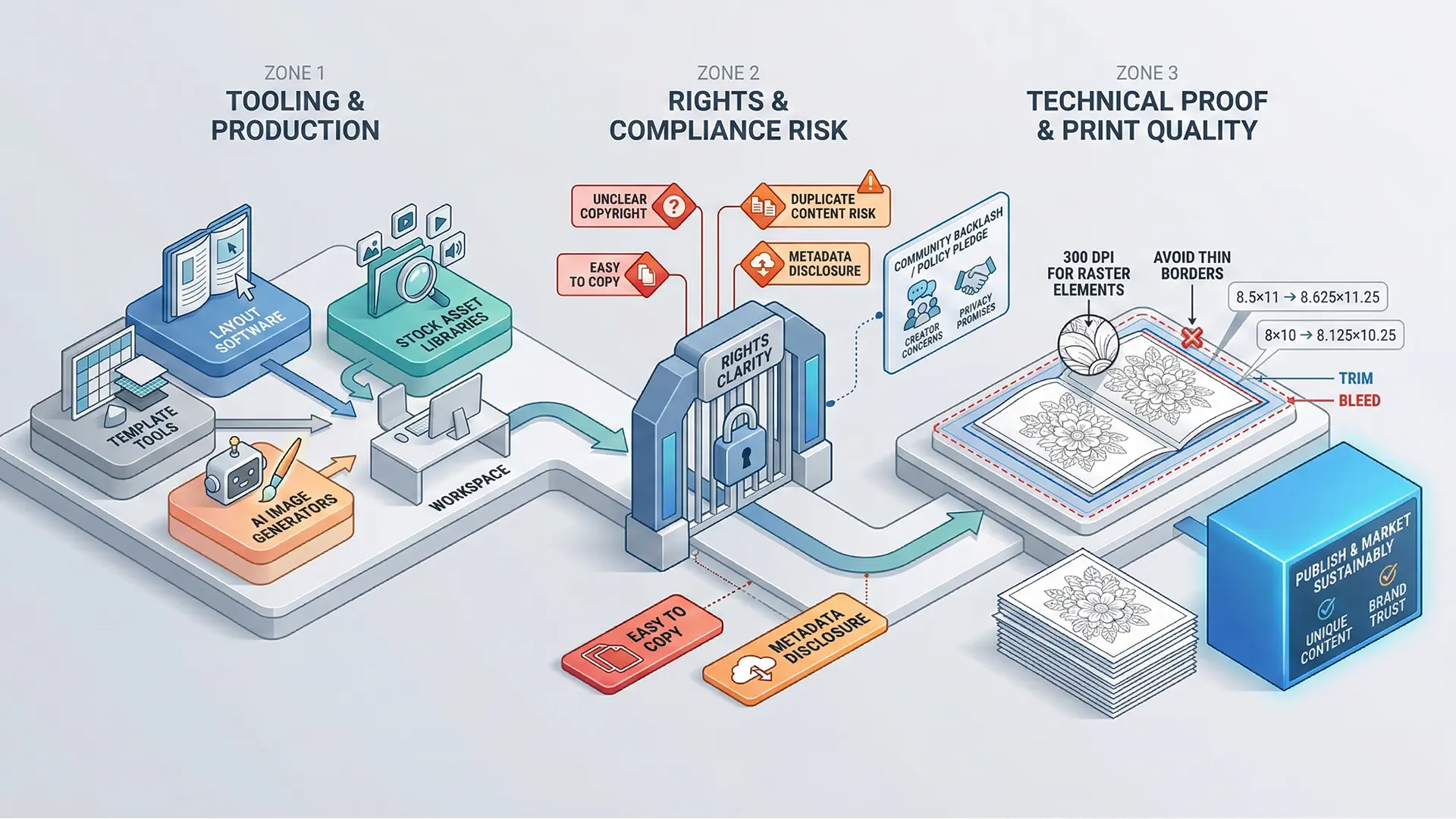
KDP technical compliance workflow diagram
3.1 Bleed and Dimensions
“Bleed” ensures that no unprinted white edges appear if the trimmer is slightly misaligned.
- The Rule: Add 0.125 inches (approx. 3mm) to the top, bottom, and outside edges.
- 8.5” x 11” Calculation: The file size with bleed must be 8.625” x 11.25”.
- 8” x 10” Calculation: The file size with bleed must be 8.125” x 10.25”.
3.2 Image Quality and Layout
- Resolution: Images should be at least 300 DPI, though significantly higher resolutions can cause jagged lines when resized by KDP.
- No Borders: Avoid designing pages with printed borders close to the edge, as slight trimming misalignments will make them look uneven.
- Bleed-Through Prevention: For coloring books, print illustrations on a single side and leave the reverse side blank (or with a note) to prevent marker bleed-through.
4.0 Conclusion: The Competitive Advantage
The most sustainable strategy for long-term success on Amazon KDP is to focus on creating unique, high-quality content. A business built on AI shortcuts is vulnerable to policy changes and copycats, whereas a brand built on human creativity and meticulous technical execution remains the ultimate competitive advantage.
Quick Checklist (Account Safety)
- Copyright Check: Are you building a brand on non-copyrightable “AI slop”?
- Bleed Calculation: Did you add 0.125” to top/bottom/outside edges?
- DPI Standard: Is your interior file set to 300 DPI?
- Border Check: Did you remove thin borders to prevent trimming errors?
- User Experience: Are coloring pages single-sided to prevent ink bleed?
Related documentation
- Review the project conventions guide before documenting your workflow.
- Use the KDP upload guide as a final preflight reference.