KDP Margin Error Fix: Bleed, Trim Size & Safe Margins (Checklist)
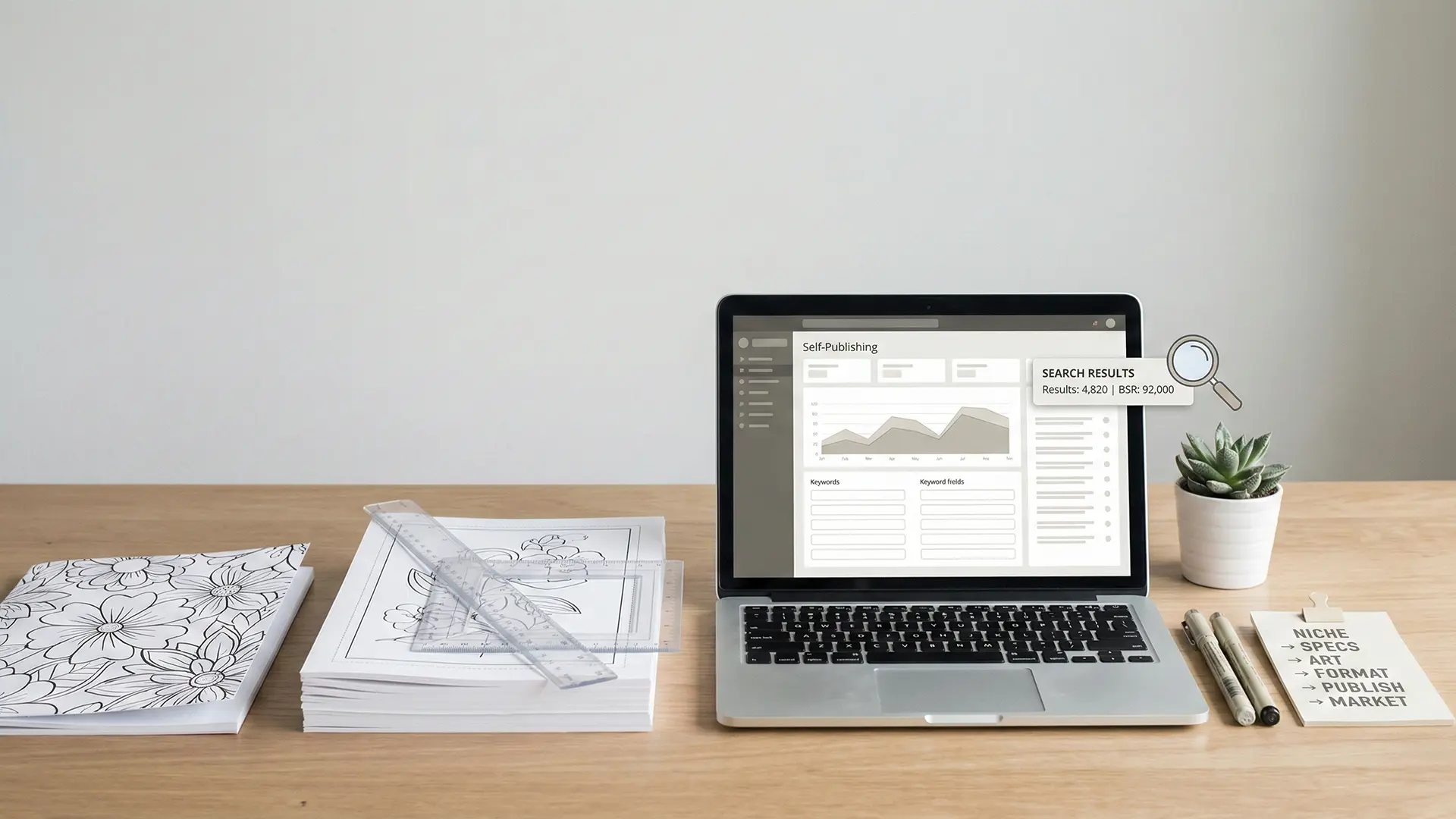
KDP margin and bleed error troubleshooting hero illustration
Fix the exact causes of KDP margin/bleed errors with a practical workflow: choose the right trim size, set the correct PDF page size (with bleed), keep content inside safe margins, and export print-ready files for KDP (including 8.5×11 and 8.5×8.5).
1.0 Introduction: The Modern Landscape of Self-Publishing Coloring Books
The digital marketplace, particularly platforms like Amazon Kindle Direct Publishing (KDP), has opened a compelling new frontier for independent creators. The coloring book market, in particular, offers a tempting opportunity for passive income and creative expression.
However, this accessibility has created a highly competitive and saturated landscape. The primary challenge today is discoverability. The market is increasingly flooded with low-quality, duplicate, or careless AI-generated content—making it harder for thoughtful books to stand out.
Success is no longer about simply uploading a file. It requires deliberate strategy, technical precision, and consistent marketing. And among all steps, the most painful “easy-to-miss” failure point is formatting—especially margin/bleed errors.
2.0 Phase 1: Foundational Strategy and Book Specification
Many creators jump straight into drawing pages, only to hit frustrating upload errors later. The fastest path is to decide your niche and physical specs first—before you create a single page.
2.1 Selecting a Profitable Niche
In a crowded market, niche selection matters more than ever. A practical approach:
- Search Results: Aim for niches under 5,000 results on Amazon search.
- Best Seller Rank (BSR): The #1 book in that niche should be under 100,000 BSR.
These two together give you a fast signal:
- Low search results = lower competition
- Low BSR on the top book = real demand
2.2 Defining Your Book’s Technical Specifications
Before opening any design software, define the physical characteristics of your book. These decisions control your interior file setup.
| Specification | Common Choices | Key Considerations |
|---|---|---|
| Trim Size | 8.5×11, Square (8.5×8.5) | Final printed size. Controls bleed math and canvas setup. |
| Page Count | KDP min 24 pages (e.g., 62 pages) | Counts both sides. 62 pages = 31 sheets. |
| Binding | Paperback | Standard for coloring books. |
| Bleed vs No Bleed | Bleed (Recommended) | Bleed gives more flexibility. No-bleed forces a white border. |
3.0 Phase 2: Content Creation and Sourcing
Your book quality depends on illustration quality. You can draw your own, license assets, or use AI—but each path has trade-offs.
3.1 Using Illustration and Layout Software
Common tool categories:
- Vector / Raster: Adobe Illustrator, Photoshop, Affinity Designer/Photo, Procreate
- Layout: Affinity Publisher, Canva, PowerPoint
- Patterns / Mandalas: Amaziograph, KaleidoPaint (iPad)
3.2 Sourcing Pre-Made Illustrations (Duplicate Content Risk)
Stock libraries can be a shortcut, but using widely shared assets without heavy modification can increase risk. In practice, the biggest danger is duplicate content—books that look too similar to many others.
A safer alternative is to use illustration sources designed for “mix & match” uniqueness (unique characters + unique backgrounds), so your final pages are not easily replicated.
3.3 Leveraging AI Image Generation (Line Art Quality + Disclosure)
AI tools can be powerful, but coloring books require clean line art. The most common failure is unwanted shading or grayscale texture.
Tips:
- Use monoline / clean outline targets
- Avoid “sketchy shading” outputs
- Convert to crisp black lines at the end (vectorize or high-threshold cleanup)
KDP does not automatically ban AI content, but AI use must be disclosed during publishing. Treat this as mandatory compliance.
4.0 Phase 3: File Assembly and Formatting for KDP
This is where most upload failures happen. Formatting is non-negotiable: if you miss the correct page size or margins, KDP will reject your file—or your printed book will look unprofessional.
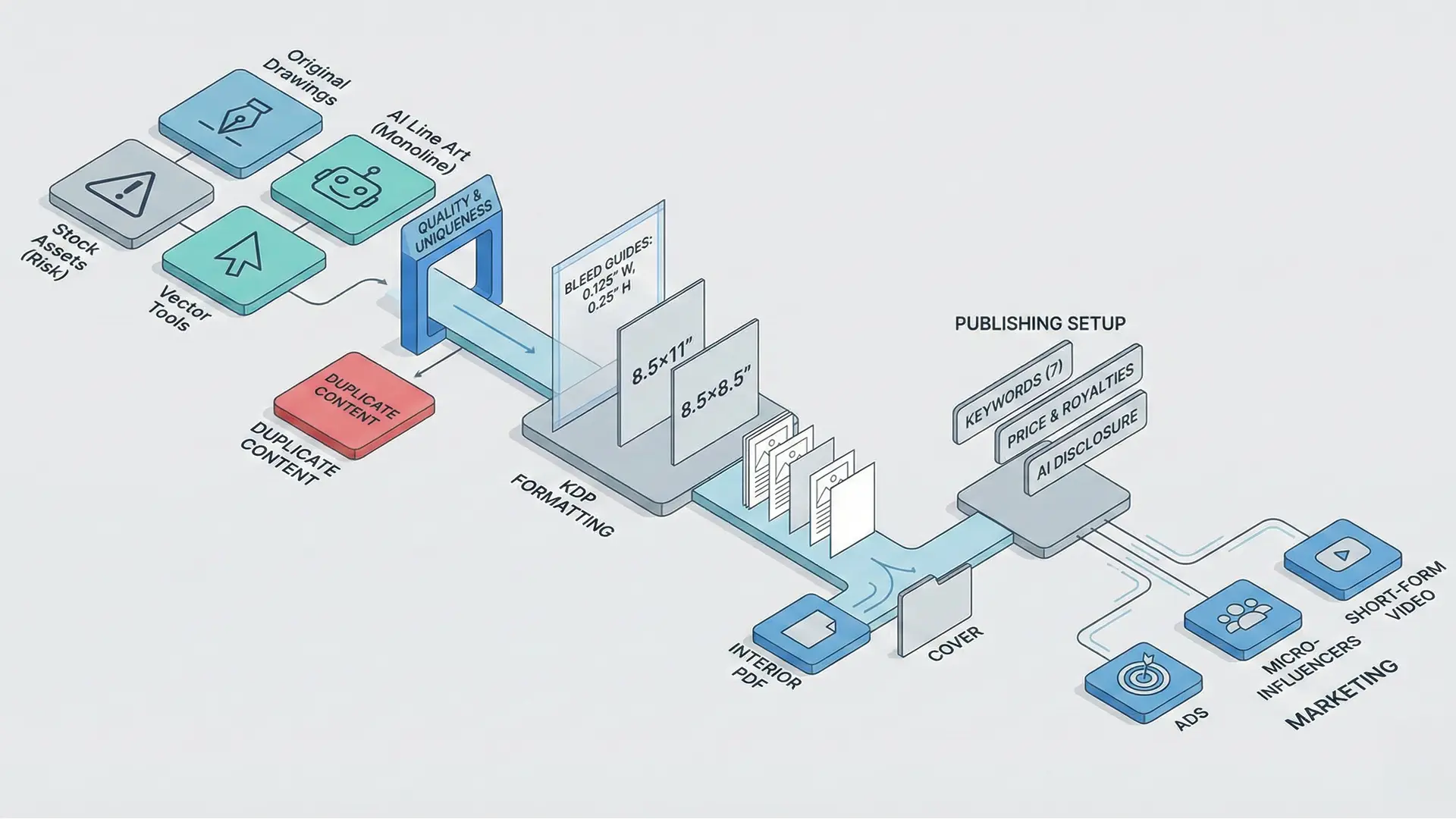
KDP bleed vs trim size vs safe margin diagram
4.1 Mastering the Bleed Requirement
Bleed means your artwork extends beyond the final trim edge, so trimming doesn’t leave white gaps.
KDP’s common rule of thumb:
- Add 0.125” (3.2 mm) to width
- Add 0.25” (6.4 mm) to height
That means your PDF page size must be larger than the trim size (not just “extend some objects”).
Bleed Page Size Cheat Sheet
| Final Trim Size | Calculation | Required PDF Page Size (with Bleed) |
|---|---|---|
| 8.5” × 11” | Width: 8.5 + 0.125Height: 11 + 0.25 | 8.625” × 11.25” |
| 8.5” × 8.5” | Width: 8.5 + 0.125Height: 8.5 + 0.25 | 8.625” × 8.75” |
Critical rule:
If you selected “Bleed” in KDP, your document/canvas size must match the bleed size exactly. A trim-size page with “stuff extending outward” is not the same thing.
4.2 Implementing Single-Sided Pages (Prevent Ink Bleed-Through)
Coloring books should usually be single-sided to prevent marker bleed-through from ruining the back of pages.
Implementation rule:
- Insert a blank page after every illustration page
- Do it in your layout software before exporting the final PDF
This creates a clean user experience and reduces negative reviews.
4.3 Designing a Cover That Matches the Interior
Your cover is your #1 marketing asset. It must look professional and also match what’s inside.
A common pitfall (especially with AI workflows):
- Cover art looks high-detail and colorful
- Interior looks like simple line art (or doesn’t match the style)
That mismatch causes disappointment and returns. Keep the cover consistent with the interior style and theme.
5.0 Phase 4: The KDP Publishing Process
Once your files are correct, KDP setup becomes a metadata + strategy game: keywords, description, pricing, and compliance.
5.1 Crafting Keywords and Descriptions
You can enter 7 keywords in KDP. Good keyword strategy balances:
- relevance (matching what buyers actually search)
- competition (you can realistically rank)
A practical method is to compare:
- estimated search demand (volume / interest)
- existing Amazon competition (search results count)
For your book description, you can draft keyword-rich text, but keep it readable and not spammy.
5.2 Setting a Price and Understanding Royalties
A simple way to understand royalties:
- royalty is based on 60% of list price
- then subtract printing cost
Example:
- List Price: $8.99
- Printing Cost: $2.84
- Royalty: (60% × $8.99) − $2.84 = $2.55
Your price must survive ads + printing costs, while still being competitive in your niche.
5.3 Disclosing AI-Generated Content (Required)
If you used AI for any images:
- Select Yes when asked about AI-assisted content
- Mark the correct image usage type (minimal vs heavy editing)
- List the tools you used (e.g., ChatGPT, Midjourney)
This keeps you compliant and reduces account risk.
6.0 Phase 5: Marketing, Sales, and Growth
Publishing is the start. Selling is the hard part.
Practical Growth Channels
- Amazon Ads: start small (e.g., $5/day) and measure ROI vs royalties.
- Influencer content: short videos showing the book being used often convert better than static posts.
- Short-form social: TikTok/IG/YT Shorts can generate organic reach if you show pages being colored.
If your workflow supports it, promotional videos built from your book pages can dramatically improve repeatable marketing.
7.0 Navigating the Self-Publishing Ecosystem: Platforms, Costs, and Risks
Self-publishing is a business. Know the trade-offs before you scale.
7.1 POD vs Bulk Printing
Print-on-demand (POD):
- no inventory
- easiest logistics
- higher unit cost
Bulk printing:
- much cheaper per unit
- requires upfront capital + storage + shipping
- longer lead time (often overseas)
7.2 Platform Differences (Quality + Price)
Different POD platforms can vary:
- print darkness (true black vs washed gray)
- price point
- distribution rules
Always order proof copies before scaling.
7.3 Paid Courses Reality Check
Some low-cost courses help beginners with step-by-step execution. But expensive “guru” programs are often criticized because much of the knowledge exists free online. Be skeptical and focus on results.
7.4 Major Risk: Account Termination
The biggest business risk is losing your KDP account.
Common triggers:
- Duplicate content (unmodified stock bundles)
- copyright/trademark mistakes (even accidental keywords)
- multiple accounts (strict one-person policy)
Protect yourself by creating original content, checking keywords, and staying compliant.
8.0 Conclusion: Key Principles for Success
Successfully creating and selling coloring books on KDP is achievable—but it requires more than uploading a PDF.
Here are the four principles that matter most:
- Niche Dominance: target low-competition, high-demand niches.
- Uniqueness: avoid look-alike books and duplicate content risk.
- Technical Precision: set correct bleed page size + safe margins + single-sided pages.
- Proactive Marketing: ads + influencers + short-form content drive sales.
Quick Checklist (KDP Margin/Bleed Errors)
- Selected the correct Bleed / No Bleed option in KDP
- Set your document size to the true bleed page size (not trim size)
- Kept all text/details inside safe margins
- Exported print-ready PDF (correct dimensions, embedded fonts if needed)
- Inserted blank pages for single-sided coloring experience
Related documentation
- Rebuild the interior PDF with the KDP-compliant interior PDF export guide.
- Check the troubleshooting guide for common file and workflow problems.