KDP 8.5×8.5 Square Coloring Book: Trim, Bleed & Layout Advantages
KDP 8.5×8.5 Square Coloring Book: Trim, Bleed & Layout Advantages
Square coloring book format hero illustration
While a compelling creative vision is the heart of any coloring book, success on Print-on-Demand (POD) platforms depends on mastering technical specifications. This guide breaks down the strategic advantage of the 8.5” x 8.5” square format and provides the precise bleed calculations needed to prevent print errors.
1.0 The Strategy: Why Choose the 8.5” x 8.5” Format?
For independent creators, the high per-unit cost of KDP’s POD service is a strategic trade-off: you exchange lower profit margins for zero upfront investment and risk-free market entry. To maximize this opportunity, choosing the right form factor is critical.
The 8.5” x 8.5” square format is an excellent choice for many coloring book concepts. Unlike standard portrait books, the square canvas offers a balanced composition area often preferred for mandalas and patterns, while remaining distinct in a crowded marketplace.
2.0 Technical Blueprint: Trim and Bleed
The journey from digital design to physical product is paved with precise measurements. The most critical concept to master is Bleed.
2.1 Understanding Bleed
In professional printing, “bleed” refers to extending artwork beyond the final trim edge. Because mechanical guillotines have a small degree of movement, printing exactly to the edge is impossible. Bleed ensures that after trimming, no unprinted white borders appear.
2.2 The 8.5” Square Calculation
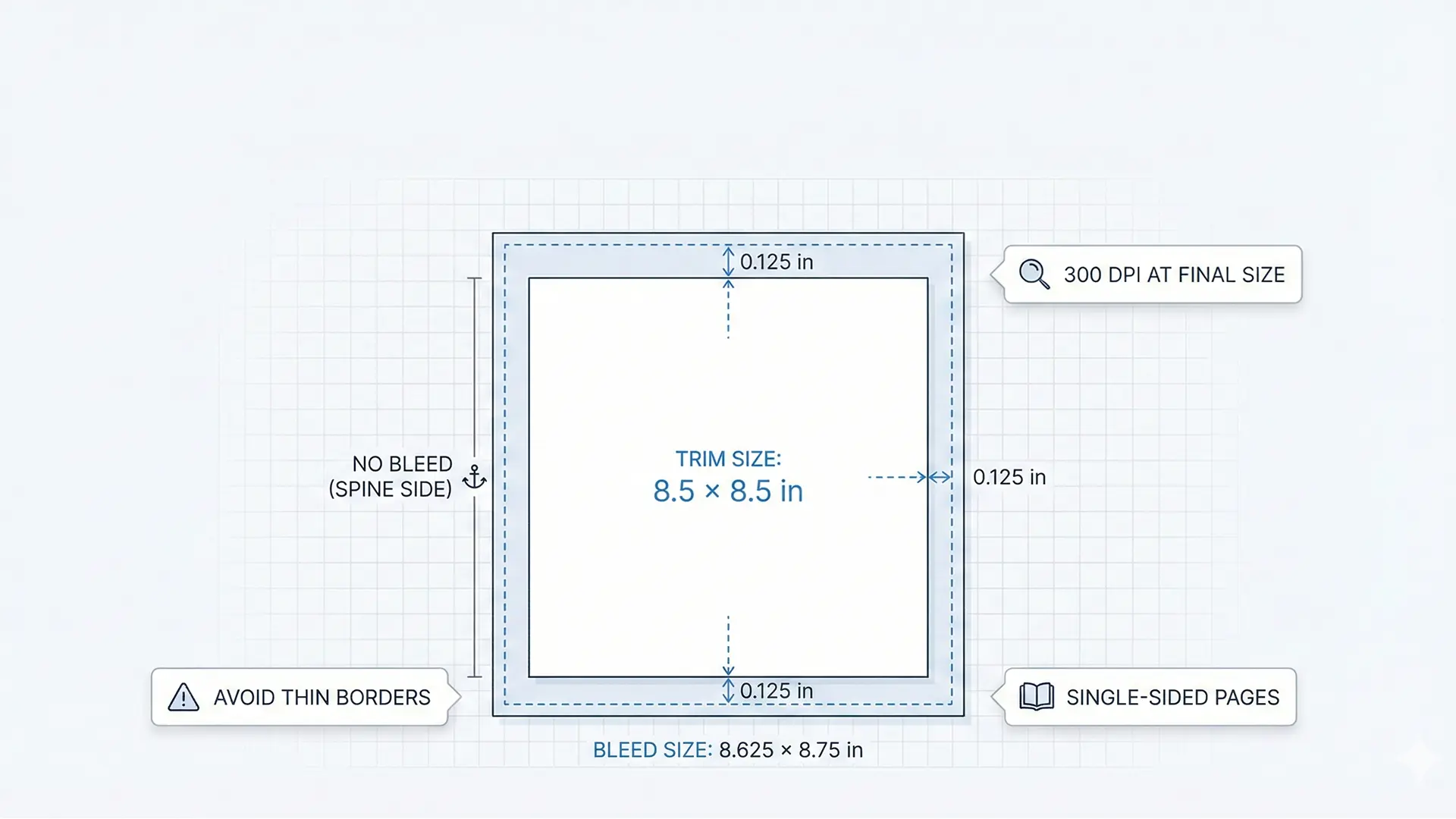
For KDP, you must create your document larger than the final trim size. The standard is to add 0.125 inches to the outside edges.
Square format bleed and trim diagram
Document Setup Table (Per Page)
| Dimension | Base Trim Size | Bleed Addition | Final Document Size |
|---|---|---|---|
| Width | 8.5” | + 0.125” (outside edge) | 8.625” |
| Height | 8.5” | + 0.25” (top + bottom) | 8.75” |
Note: The inside edge (spine) does not receive bleed as it binds into the book.
3.0 Production Tools: Choosing Your Framework
Your choice of software impacts workflow efficiency and output quality.
- Professional Tier (Adobe InDesign, Affinity Publisher): The industry standards. They offer maximum flexibility and control over print specifications but come with a steeper learning curve.
- Accessible Tier (Canva): User-friendly and sufficient for creating interiors and covers, especially for those new to graphic design.
Regardless of the tool, you must ensure all artwork is created at a minimum resolution of 300 DPI at the final document size to avoid artifacts.
4.0 User Experience: Interior Layout Rules
A customer’s satisfaction is determined by how they interact with the book. Standard KDP paper may not be thick enough to prevent marker bleed-through, so your layout must compensate.
4.1 The “Single-Sided” Standard
To avoid negative reviews, implement these non-negotiable design rules:
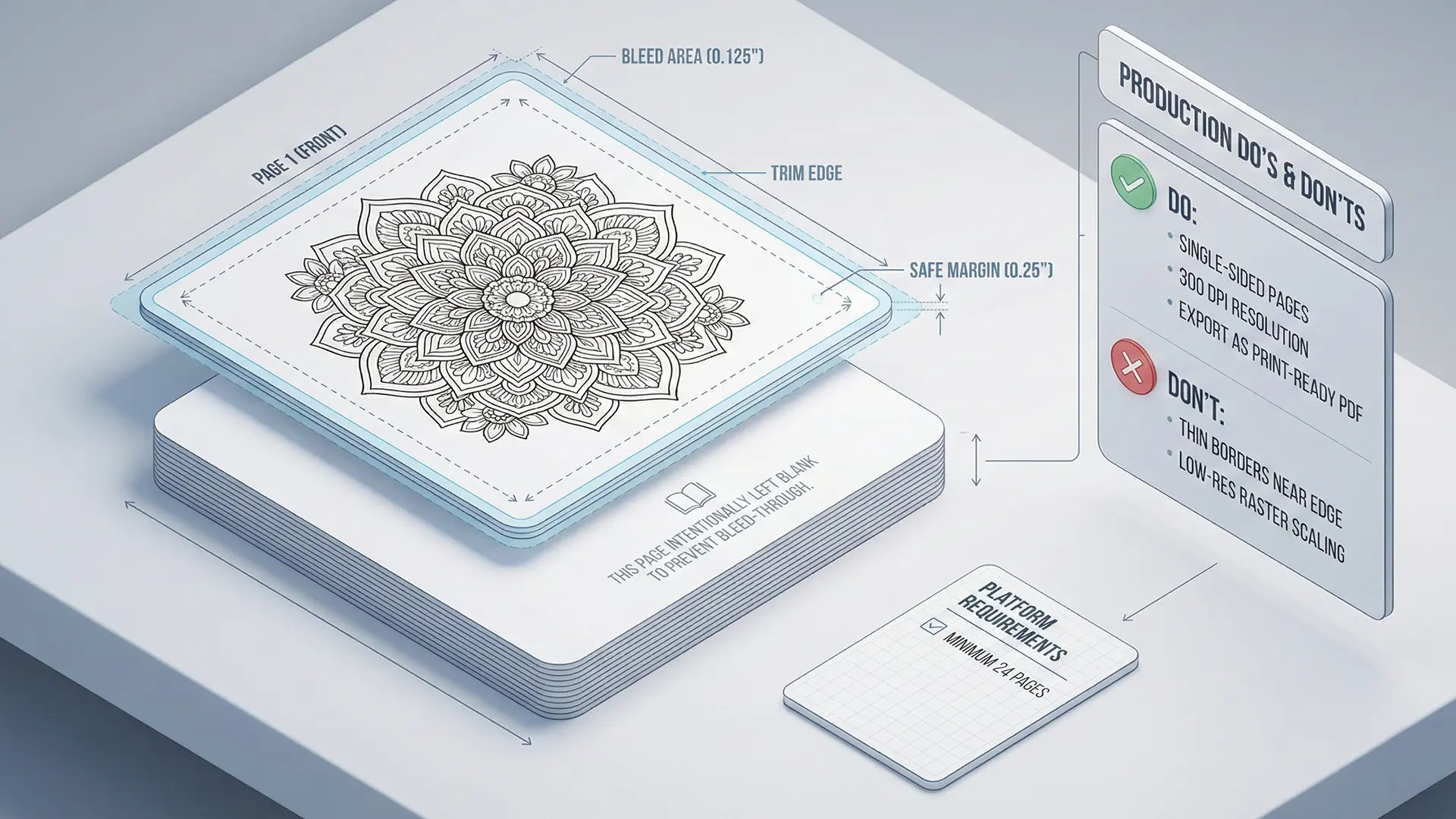
- Single-Sided Pages: Place each design on its own page. Leave the reverse side completely blank to protect the next illustration.
- Bleed-Through Notice: Add a note on blank pages (e.g., “This page intentionally left blank to avoid bleed-through”) to inform the customer this is a deliberate quality feature.
4.2 The “No Borders” Rule
Do not use printed borders that frame the artwork. KDP requires a blank margin of at least 0.375” for non-bleed content. Framing art with a printed border is risky because any slight shift in trimming will make the border appear visibly off-center and unprofessional.
5.0 Final Assembly: The 24-Page Minimum
The final stage is merging individual page files (PNG/JPEG) into a single, cohesive PDF manuscript.
- File Format: KDP requires a single PDF file containing the entire interior (title page to last page).
- Page Count: KDP has a minimum page count of 24 pages (12 sheets). If you have 20 coloring designs, you must add a title page, copyright page, and extra blank pages to reach this minimum threshold.
Quick Checklist (8.5” Square Setup)
- Canvas Size: Set to 8.625” x 8.75” (includes bleed).
- Resolution: Verified all assets are 300 DPI.
- Layout: Designs are on the right (odd) pages; left (even) pages are blank.
- Borders: Removed all printed borders to prevent trim errors.
- Length: Verified total PDF is at least 24 pages.
Related documentation
- Confirm square-book export settings in the KDP-compliant interior PDF export guide.
- Use the KDP cover and spine-width guide for the matching cover file.